Cruise lines want you to believe that staying in touch with your family at sea requires buying an expensive satellite internet plan for every device.
Cruise lines want you to believe that staying in touch with your family at sea requires buying an expensive satellite internet plan for every device.
At twenty to thirty-five dollars per person per day, paying for full Starlink access across a family of four can add nearly a thousand dollars to a week-long cruise bill. Yet most travelers only want to find their kids by the pool, check dinner times, and coordinate meeting spots.
Based on network policy audits compiled across GoCruiseTravel.com.
The Intranet Illusion: Free vs. Paid Wi-Fi
Modern cruise ships broadcast two separate layers over their wireless routers. The first layer is the external satellite connection to the outside internet, which requires a paid subscription code.
The second layer is the internal ship intranet. This local network connects your phone directly to the vessel's onboard servers without transmitting data into space.
Because local server traffic consumes zero satellite bandwidth, cruise lines allow every guest to connect to this internal network for free. You do not need to enter a credit card number to access the ship's local Wi-Fi signal.
All you do is open your phone settings, connect to the ship's guest network, and open your cruise line app. The app automatically recognizes your reservation and syncs your profile.
Free In-App Chat: Which Lines Charge and Which Are Free
Coordinating with family members on a massive ship used to involve sticky notes on cabin doors or cumbersome walkie-talkies that never worked through steel bulkheads. Today, in-app group messaging solves this problem.
However, cruise lines handle pricing for internal chat very differently. Royal Caribbean and Celebrity Cruises made in-app chat completely free for all guests across their entire fleets.
Princess Cruises includes complimentary messaging within its MedallionClass ecosystem, allowing guests to locate family members in real time using shipboard sensors. MSC Cruises also provides free app-to-app messaging on smart ships running MSC for Me.
Carnival Cruise Line remains the notable holdout. Carnival requires guests to pay a five-dollar flat fee per device to unlock the chat feature in the Carnival HUB app for the entire sailing.
Norwegian Cruise Line charges a nominal onboarding package fee on older vessels, but has phased in free group messaging across its newer Prima and Breakaway Plus class hardware.
The iMessage and Notification Leak Phenomenon
Cruisers frequently discover a bizarre technical quirk: basic text-only iMessages and WhatsApp push notifications occasionally pop up on their lock screens even without a paid internet plan.
This occurs because Apple and Google push notification servers utilize background network handshakes that ship firewalls occasionally let slip through local ports. When a family member off the ship sends you a text, the preview banner may appear on your screen.
Do not rely on this as a dependable communication channel. The moment you open the messaging app to read the full thread or send a reply, the ship's firewall blocks the outbound connection.
Voice notes, photo attachments, and video calls fail instantly without an active satellite package. Treat notification leaks as a pleasant surprise rather than an intentional service.
Cruise Line App Feature Comparison Table
Compare how major cruise operators handle free onboard features, chat pricing, and digital functionality:
| Cruise Line & App Name | Free In-App Chat? | Digital Stateroom Key | Interactive Deck Maps | Onboard Account Tracking |
|---|---|---|---|---|
| Royal Caribbean App | Free for all guests | Yes (on newer vessels) | Yes (3D turn-by-turn) | Real-time folio sync |
| Celebrity Cruises App | Free for all guests | Yes (Edge & Solstice) | Yes (interactive) | Real-time folio sync |
| Carnival HUB App | $5 per device for cruise | Yes (Mardi Gras & newer) | Yes (static deck view) | Live Sail & Sign balance |
| Princess MedallionClass | Free (with locator tag) | Automatic door unlock | Real-time passenger finder | Live OceanPay tracker |
| NCL (Norwegian App) | Free on modern ships | Yes (Prima & selected) | Yes (offline maps) | Live onboard balance |
| MSC for Me | Free on smart ships | Yes (smart bands/phones) | Yes (interactive) | Real-time expense tracker |
| Holland America Navigator | Free onboard messaging | No (card required) | Yes (static deck plans) | Account balance & booking |
Beyond Messaging: Powerful Free App Utilities
Cruise line apps are far more than glorified walkie-talkies. They serve as the central control dashboard for your entire stateroom and voyage.
First, digital daily planners replace paper activity schedules. You can favorite trivia games, comedy sets, and live music performances, and the app will ping you fifteen minutes before showtime.
Second, digital stateroom keys let you unlock your stateroom door using your phone's NFC chip or Bluetooth antenna, eliminating the panic of misplacing your plastic keycard by the pool.
Third, real-time spending monitors keep your vacation budget on track. Every time a drink or souvenir is charged to your account, the folio updates instantly in your app, preventing bill shock on disembarkation morning.
Derived from shipboard communication tracking on GoCruiseTravel.com.
Fourth, interactive deck maps solve shipboard navigation. Instead of searching for wall placards by elevator lobbies, your phone displays a step-by-step route from your cabin to the aft theater.
Airplane Mode Defense: The Roaming Trap on GoCruiseTravel.com
Using your cruise app safely requires one non-negotiable step: turning on airplane mode before the vessel pulls away from the pier.
If you leave your cellular antenna active while connected to ship Wi-Fi, your phone will quietly switch to maritime cellular networks like Cellular at Sea when signal drops in international waters.
Maritime cellular roaming does not fall under standard domestic unlimited data plans or international day passes. Background email syncing and app updates can rack up hundreds of dollars in charges before dinner.
Compare Starlink satellite speeds and multi-device costs across every major cruise line. — see Cruise Wi-Fi Pricing and Speed Guide (https://www.gocruisetravel.com/en/guides/is-cruise-wifi-worth-it)Before you step out onto the open deck, verify that your phone displays the airplane symbol in the top menu bar with Wi-Fi toggled on. If you want full outside internet, compare package deals on GoCruiseTravel.com before buying on board.
The Bottom Line on Cruise Apps
Download your cruise line app before leaving home. Keep your phone locked in airplane mode with Wi-Fi switched on to enjoy free in-app messaging, digital room keys, and live schedules without spending a dime on satellite internet.
GoCruiseTravel compares 269 ships across 33 lines, minus the brochure nonsense. Three hulls tied to what you just read:
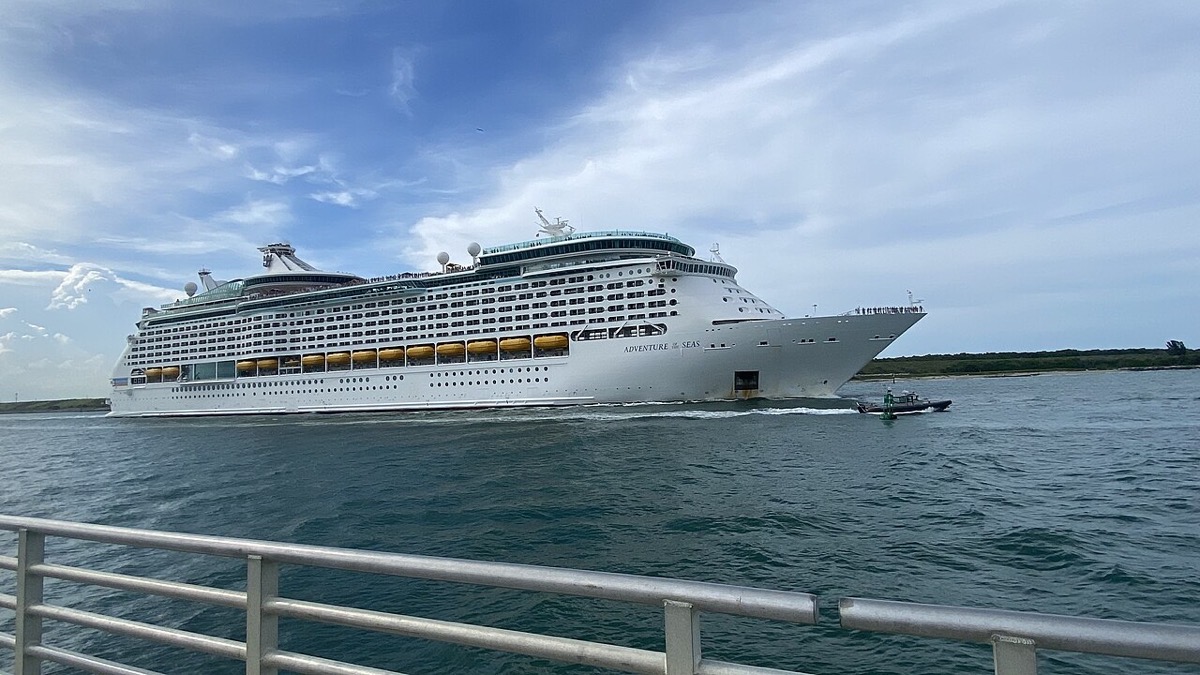
Royal Caribbean International · 3,114 guests · 2001
Adventure of the Seas
This classic Voyager-class ship still packs a punch with waterslides, a FlowRider, and ice-skating, proving a good time doesn't always need to be brand new.
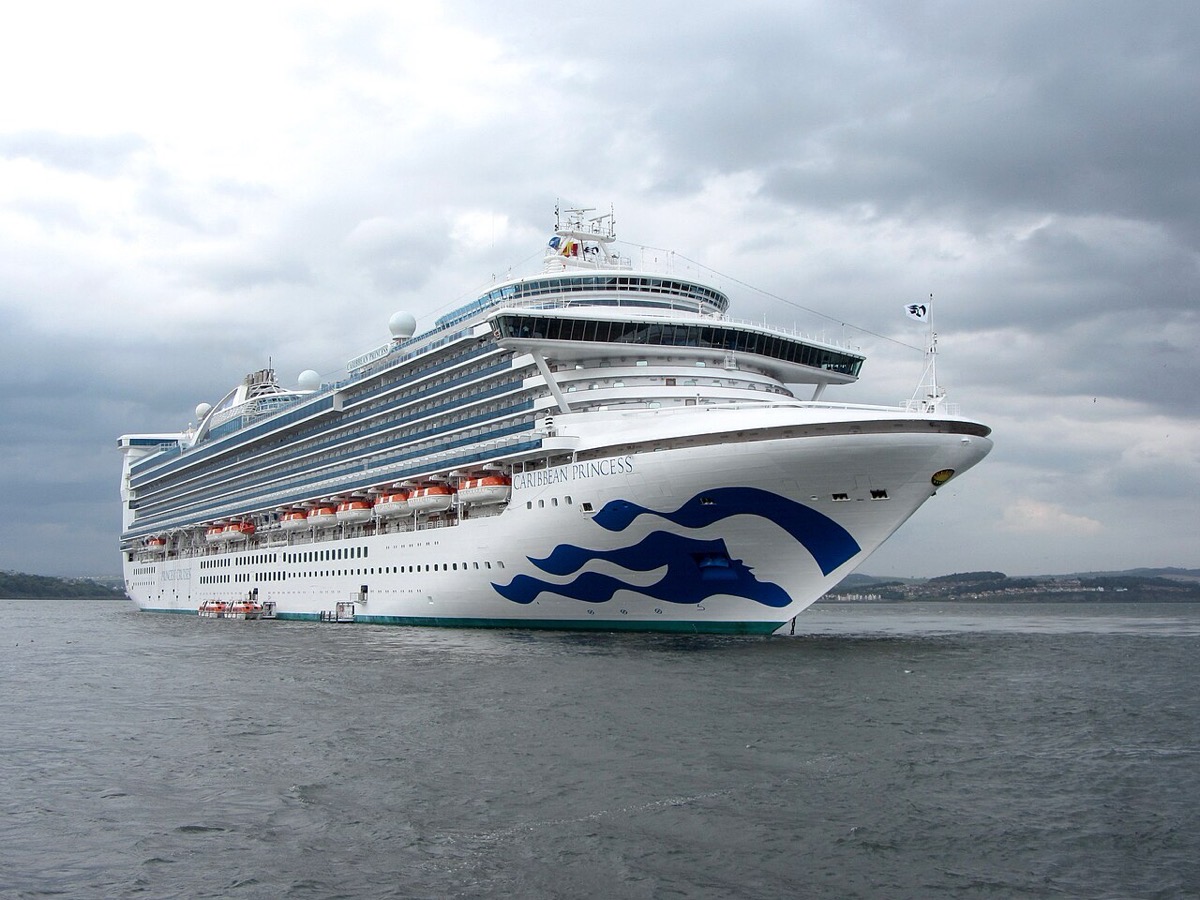
Princess Cruises · 3,140 guests · 2004
Caribbean Princess
This is the ship that started the whole Movies Under the Stars thing, so expect comfy loungers and a giant screen for that al fresco cinema vibe.
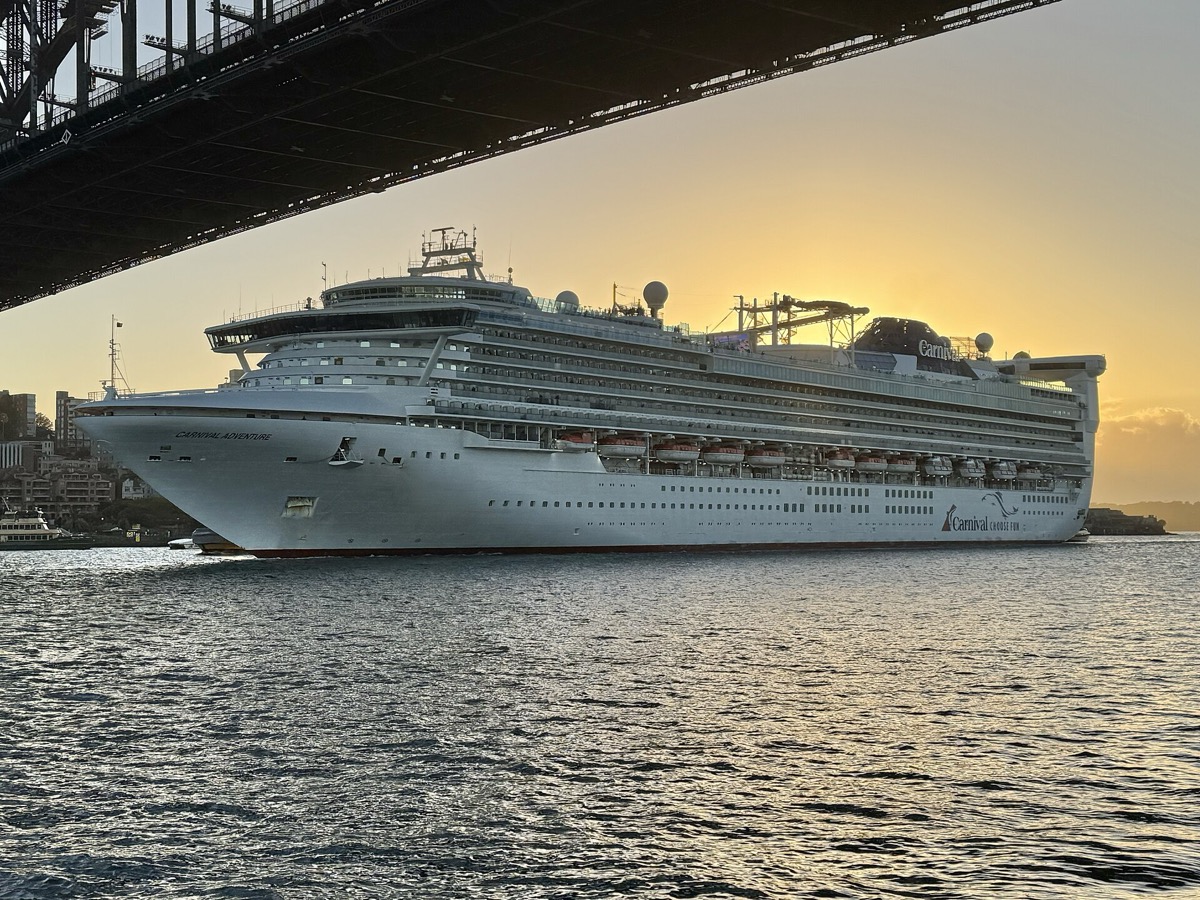
Carnival Cruise Line · 2,600 guests · 2001
Carnival Adventure
This Grand-class ship, formerly known as Golden Princess, brings aussie-centric fun and a dedicated Byron Beach Club to the South Pacific.

Where Can You Actually Smoke on a Cruise Ship? A Deck-by-Deck Map
All 269 cruise ships allow smoking, yet 37.5% ban it indoors. Find exact port vs. starboard decks, cigar rooms, and ports that fine vapes.